The name's right there.
Just describe it.
Find the name you can't quite reach — and call people just by describing them.
For those moments when you know exactly who or what you mean, but can't quite pull up the name.
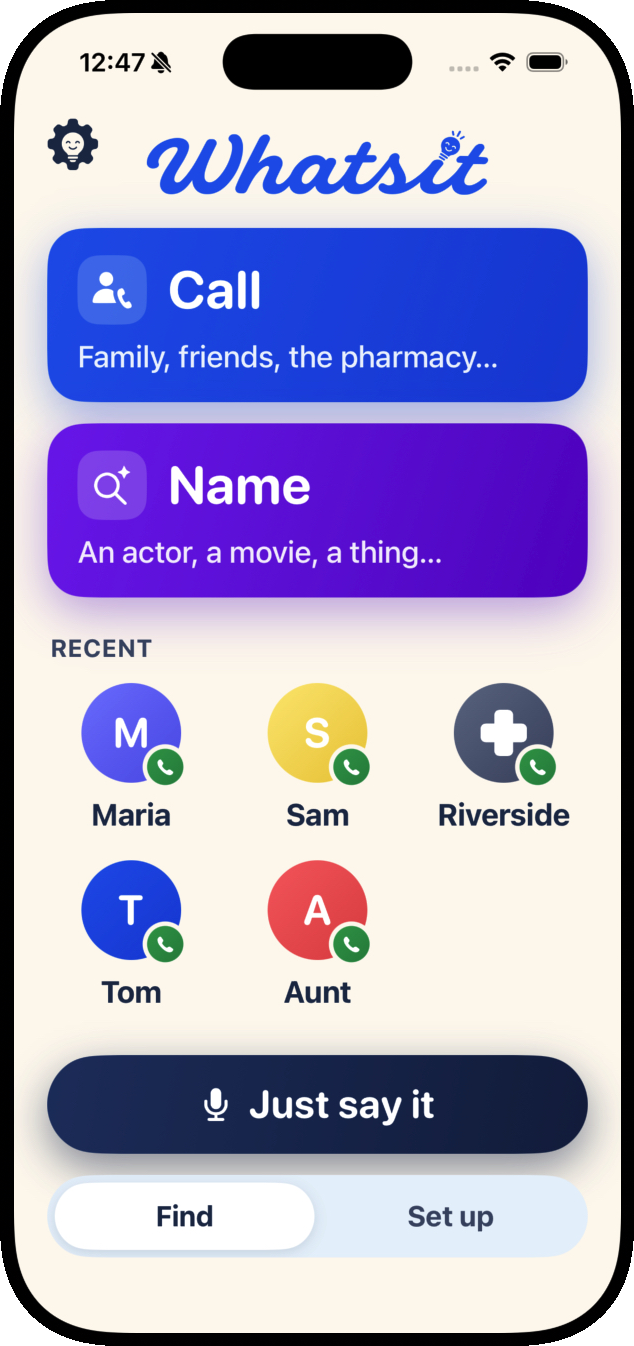
Two ways to use it
Find a name, or call someone you know.
Whatsit does two jobs. Both start the same way — you say what you remember, in your own words.
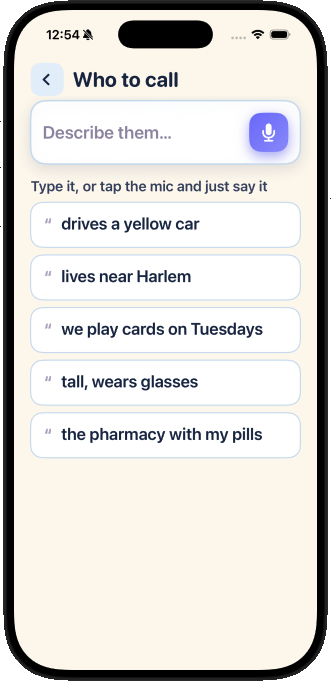
Describe someone, and call them.
No scrolling a contact list. Say who you mean — "drives a yellow car," "the guy I'm married to," "the pharmacy with my pills" — and Whatsit puts the call through. When two people fit what you said, it asks which one rather than guessing.
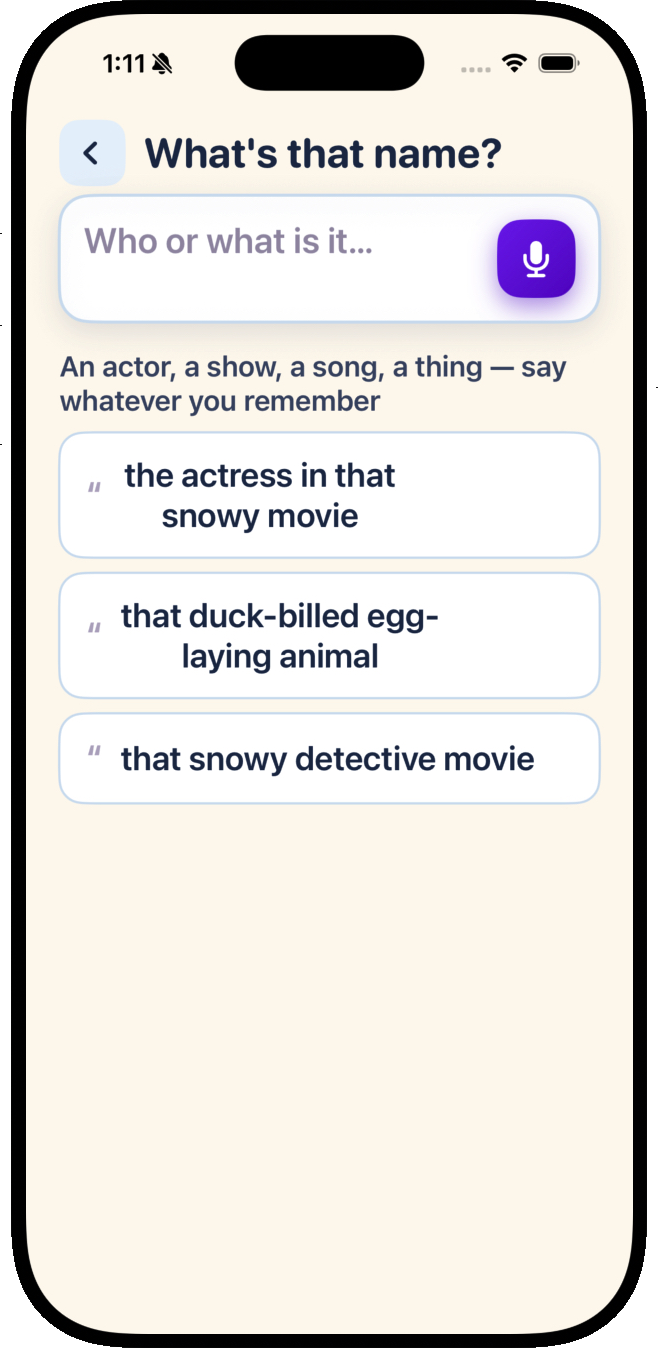
Describe a thing, and get its name.
An actor, a movie, a show, an animal — say what you remember, like "that duck-billed egg-laying animal," and Whatsit names it.
New
Just Ask: one button, and an answer out loud.
For when even a simple app is too much to hold on to. Turn on Just Ask and Whatsit becomes a single screen — press the big blue button, say anything, and hear the answer back. No lanes, no menus, nothing to get lost in.

Press the blue button and ask me.
“Who is Andy?” “What am I doing today?”That’s Andy Miller.
Would you like to call Andy?
Ask it the way you’d ask a person
“Who is Andy?” “What am I doing today?” “What’s that actor called?” One button handles all of it — there’s nothing to choose first.
Every answer is spoken
A face as big as the screen, one plain sentence, read out loud. Dates come back as “Tomorrow,” not a date on a calendar — and a plan that has already passed says so.
Say yes, and it calls
When it finds someone, it asks — out loud — whether you’d like to call them, and waits for your answer. A quiet tone tells you it’s listening. Anything but a clear yes never dials.
Nothing can be changed or deleted
While Just Ask is on, Set up, plans, Play, and Settings are gone — not hidden, gone. Calling, hearing your plans, and finding a name are all that’s left.
Family turn it on. It’s a switch in Settings, usually flipped by someone helping out. Getting back is a press and hold on the top-left corner for three seconds — a tap won’t do it.
A little more
Keep a plan handy. Keep names close.
Two more things Whatsit can do — in the same plain, say-it-out-loud way.
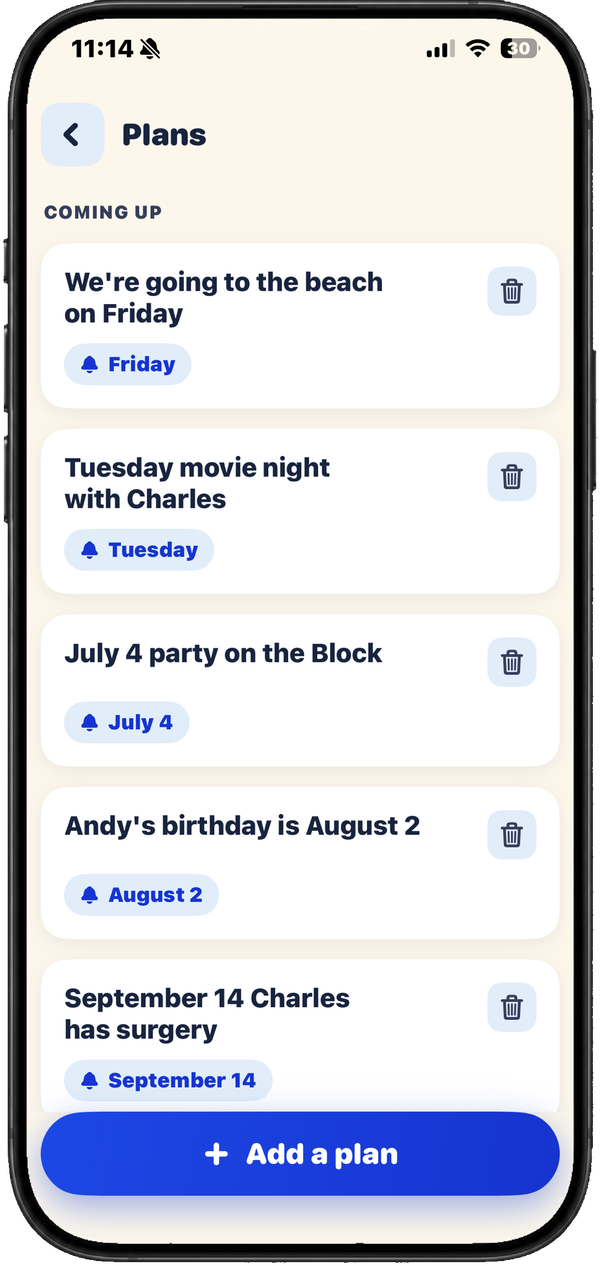
Say a plan, and find it again later.
Tell Whatsit something to remember — "lunch with Sue on Wednesday" — and bring it back later by saying any part of it. If there's a day, it can give you a gentle nudge that morning.
A friendly round to keep names fresh.
A gentle little game — never a test. Name the people in your circle, or take on famous faces, movies, and shows. Something easy to do while the names still come easy.
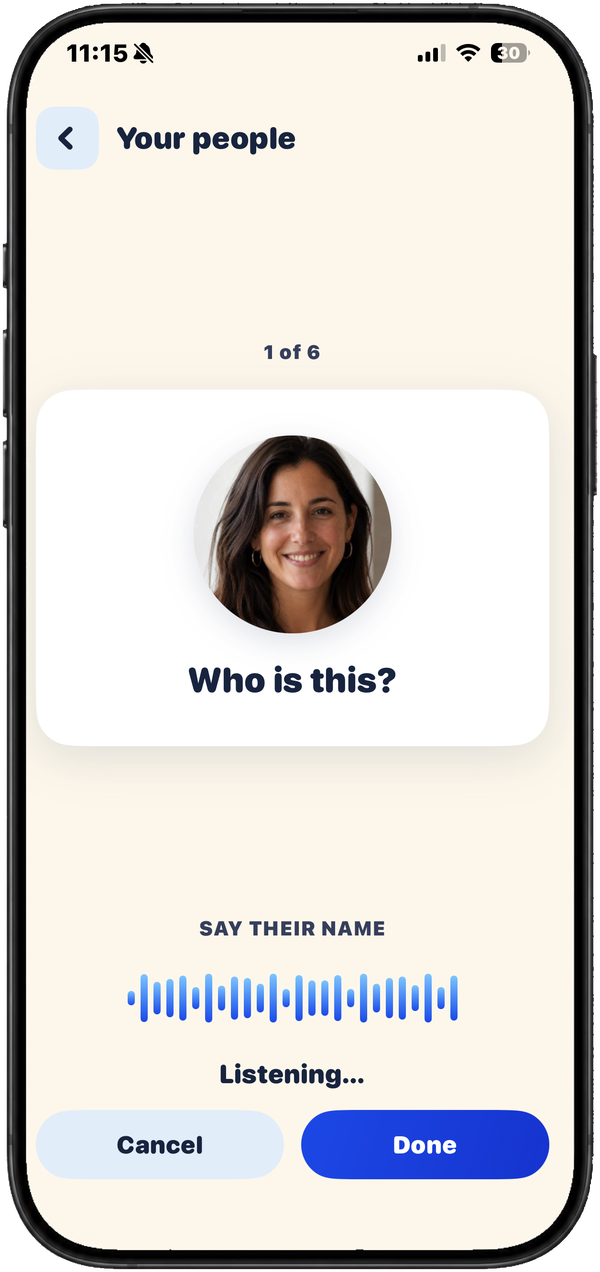 Your people
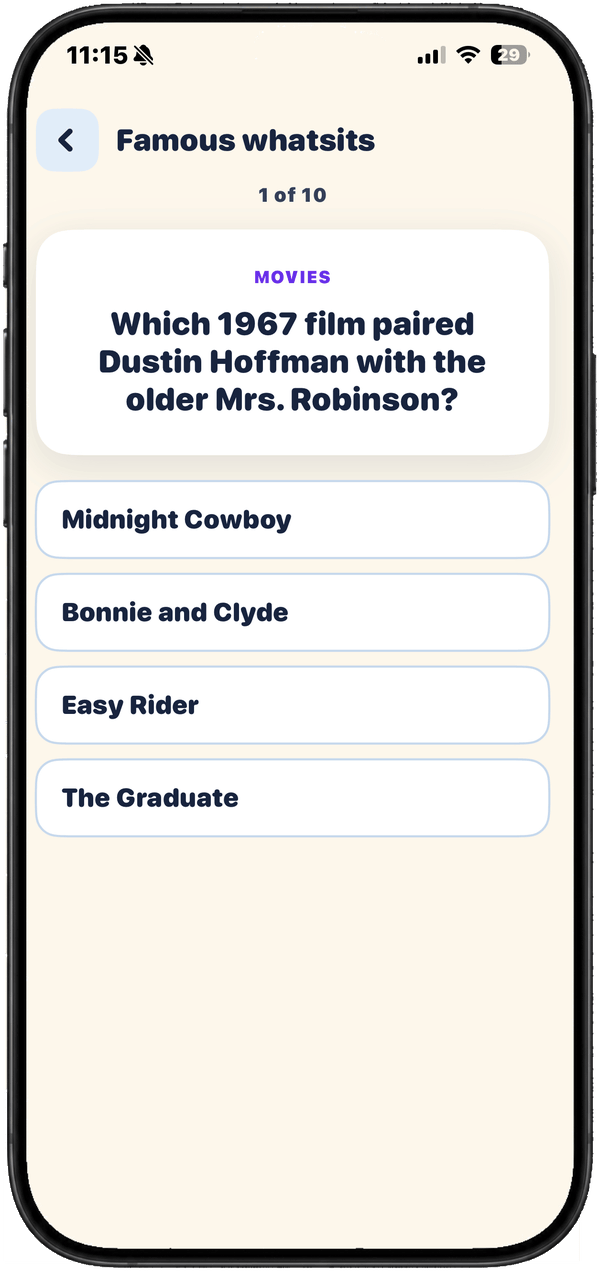 Famous whatsits
Just say it
Take your time. Whatsit waits.
Press once and just talk. There's no rush and no right way to say it — pause, start over, ramble a little. Whatsit listens until you're done, then helps.
Made to be simple
Big, clear, and unhurried.
Every screen is large, calm, and forgiving — so the app gets out of the way and lets you find what you're after.

Adjustable text
Standard, Large, or Larger — pick a size that's comfortable and the whole app follows.
Answers out loud, hands free
Whatsit can read what it found aloud, then ask if you'd like to call — you just say yes. It never dials on an unclear answer.

Your people, ready
Add the people and places you reach for most, with a few details that bring a name back. Anyone can set them up — you, or family helping out.

Your words stay yours
What you say to find a name is used to answer you — nothing more. The details are in the privacy policy.
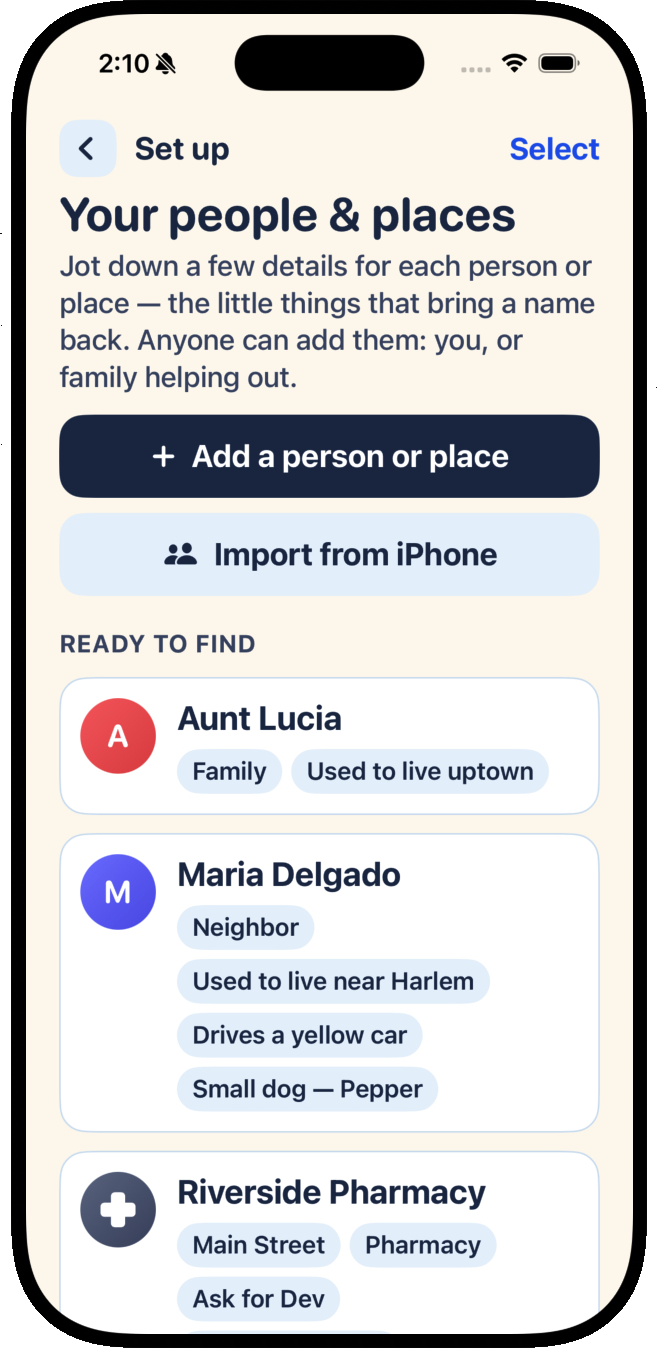
You choose who to add
You pick which contacts come in — nothing is brought in without you.
Your people stay on your phone
Saved names and photos live on your device, not on a server somewhere.
Your searches answer you
What you say is used to find your answer — never to sell ads or train AI.